
Avia Media Player (Chromecast)7.2.40154 - Get APK
You'll be able to download in few seconds.
Publisher Description
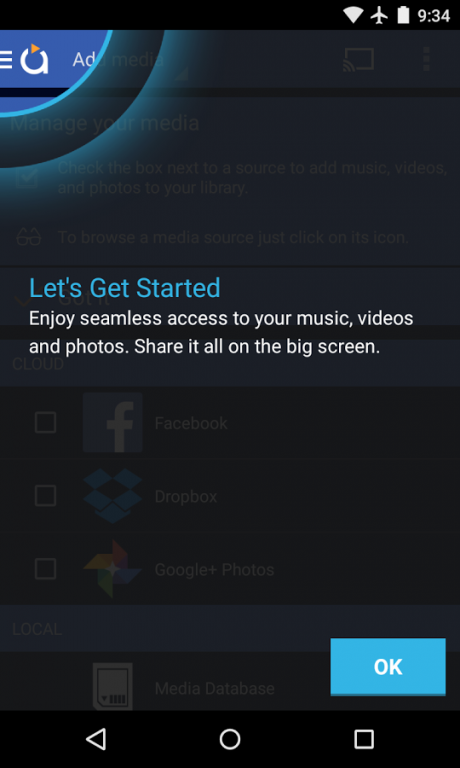
In-app purchase of $4.99 gives you Chromecast support, casting to Apple TV, Roku, WebOS and UPnP/DLNA enabled devices, support for themes and an ad-free interface.
Chromecast has been a success for Avia, to say the least. To add to the sweetness, we're now supporting casting to
Apple TV, Roku and WebOS
devices along with an updated UI, icons and themes. Avia 7.2 also offers overall stability improvements. Here are the features of 7.2:
Features
:
• Updated user interface with simpler navigation and smoother response
• New icons throughout the app
• Casting to Apple TV
• Casting to Roku devices (need to install Avia for Roku)
• Casting to WebOS enabled TVs
• Improved stability and support for the latest Google Chromecast software
• Full playback control from your phone or tablet
• Music album artwork and artist images displayed on your TV
And of course, Avia still allows you to: Share your photos, videos and music on these devices:
Chromecast / Roku / Apple TV / WebOS TV's / Xbox One / Google TV / PC / Mac
Play and manage media stored on your Android device, in the cloud or from these devices:
Facebook / Google+ Photos (Picasa) / Network Attached Storage (NAS) / Windows Media Player (WMP) / XBMC / Serviio / Plex / Subsonic / PC / Mac / Other Android Devices
Finally, here are a few pieces of advice to get the most out of Avia:
• To cast to Roku devices, please install the Avia for Roku channel that will appear on your Roku screen.
• Make sure your Android device and device you want to cast to, e.g. Chromecast, are using the same Wi-Fi network.
• When using Avia to access media from other devices, they must have UPnP/DLNA serving enabled.
• When casting from Avia, files MUST be compatible with the receiving device. Many devices have fewer compatible codecs than a home computer.
• Please review your media formats with the specifications of your devices before attempting to cast. (Example: Chromecast is not compatible with .AVI files.) Please see the video conversion guide at http://aviatheapp.com/support.
If you have questions, comments or feedback, please check out our support page at http://aviatheapp.com/support/
If the Chromecast icon is still missing, troubleshoot suggestions are below :
• Reboot WiFi router (optional: change WiFi channel), reset factory settings on Chromecast, rename Chromecast and re-install Avia.
For issues related to Chromecast, please visit the Chromecast support page at https://support.google.com/chromecast/
Avia featured as top media for Chromecast by TalkAndroid.com: http://www.talkandroid.com/guides/best-apps/best-android-apps-for-streaming-networked-pictures-music-and-video-to-chromecast-december-2014/
To join beta testing group, please send us a membership request at: https://groups.google.com/forum/#!forum/avia-beta-testers
About Avia Media Player (Chromecast)
The company that develops Avia Media Player (Chromecast) is Videon Central, Inc.. The latest version released by its developer is 7.2.40154.
To install Avia Media Player (Chromecast) on your Android device, just click the green Continue To App button above to start the installation process. The app is listed on our website since 2017-07-19 and was downloaded 0 times. We have already checked if the download link is safe, however for your own protection we recommend that you scan the downloaded app with your antivirus. Your antivirus may detect the Avia Media Player (Chromecast) as malware as malware if the download link to com.videon.android.mediaplayer is broken.
How to install Avia Media Player (Chromecast) on your Android device:
- Click on the Continue To App button on our website. This will redirect you to Google Play.
- Once the Avia Media Player (Chromecast) is shown in the Google Play listing of your Android device, you can start its download and installation. Tap on the Install button located below the search bar and to the right of the app icon.
- A pop-up window with the permissions required by Avia Media Player (Chromecast) will be shown. Click on Accept to continue the process.
- Avia Media Player (Chromecast) will be downloaded onto your device, displaying a progress. Once the download completes, the installation will start and you'll get a notification after the installation is finished.
Program Details
System requirements
Download information
Pricing
Version History
version 7.2.40154
posted on 2017-07-19
7/18/17: Fix for Chromecast crashing issue
Other stability and library updates
1/3/17: Stability fixes and enhancements to support Android Nougat.
version 7.2.33696
posted on 2015-05-18
Our biggest release since Chromecast!,New in 7.2:,- Updates UI with new icons,- Updated Dark and Light themes,- Cast to Roku devices,- Cast to Apple TV,- Cast to WebOS enabled TV's,Change log for this build:,- New version of Facebook library which is mandated,- Updated to newest version of Cast Library,- Integrated MHL cable support into Avia,- A few stability fixes
version 6.4.23357
posted on 2013-07-02
Several fixes and updates
Disclaimer
External Download
We do not host Avia Media Player (Chromecast) on our servers. We did not scan it for viruses, adware, spyware or other type of malware. This app is hosted by Galad and passed their terms and conditions to be listed there. We recommend caution when installing it.
The APK Download link for Avia Media Player (Chromecast) is provided to you by apps112.com without any warranties, representations or guarantees of any kind, so access it at your own risk.
If you have questions regarding this particular app contact the publisher directly. For questions about the functionalities of apps112.com contact us.
